Cross-platform data migration, unlike standard data conversion, typically involves two steps – physically moving the source files from one system to another and converting them into the destination format. This is the case when converting Apple Mail to Outlook, a popular email client on the Mac OS platform, to Microsoft Outlook®. What is Mac Mail […]
December 15, 2021 |
By: Alex Shipman |
In: Microsoft Office |
Comments Off on Six tools to repair damaged Word documents |
If damaged Word document can no longer be opened even after the first emergency measures, you will get the specialized help in the preceding article. Following six tools are promising to rescue the contents, including document formatting, images, tables, footnotes and directories. The complex binary structure of Word documents brings at a certain point own […]
February 29, 2020 |
By: Dave |
In: iOS Devices |
Comments Off on Apple’s iBooks Author licensing terms |
I’m surprised by the fuss about Apple’s iBooks Author licensing terms. The terms prevent you from selling your iBooks Author-created works outside of the iBooks Store (although they can be distributed for free). You can still export and repurpose the content therein, but you can’t sell the complete, packaged layout file created by iBooks Author in another store. This […]
February 21, 2020 |
By: Dave |
In: iOS Devices |
Comments Off on Ignored keypresses when typing on iPad |
The iPad has a reputation for being difficult to type on. It’s generally accepted that the iPad is okay for short emails and notes, but is not suited to longer documents. The anecdotal consensus seems to be that an on-screen keyboard, with no tactile feedback, leads to more errors than a physical keyboard with real […]
February 17, 2020 |
By: Dave |
In: iOS Devices |
Comments Off on Bill Gates predicts the future in 2005 |
One of our clients came across this yesterday: Bill Gates predicting the future, in a 2005 edition of The Guardian. “You’ll be able to use the camera to take a picture of a sign in a foreign country and software will send it up to a server and bring it back to your phone fully translated.” […]
February 10, 2020 |
By: Dave |
In: JavaScript |
Comments Off on Why ++[[]][+[]]+[+[]] evaluates to “10″ in JavaScript |
This comes from a popular question on Stack Overflow. Given the popularity of the question, the fact that it is now closed and the fact that the highest-ranked answer there is a little imprecise, I’ve decided to write up an explanation here. I should warn you now that I’m going to make reference to the […]
I run an app development company. Hardly a day goes by without someone telling me they’ve had “a good idea for an app” – usually just before asking me to develop it for them. The problem is, very few apps are about a single ‘good idea’. As Rob Corradi puts it: Ribrob on Twitter: Apps […]
January 27, 2020 |
By: Dave |
In: iOS Devices |
Comments Off on Our Choice: “The Next Generation of Digital Books” |
Publishing has had many saviours in recent years. Apple, Amazon and Google have all been touted as potential messiahs by an industry desperate to work out its role in an uncharted digital world. Big technology companies haven’t been the only saviours. Small independent producers such as Touch Press.com and Inkling.com have experimented with the boundaries between books and apps, with interesting results. Today sees […]
Yesterday I attended the NESTA / Rewired State Make It Local hack day. Myself and five other developers were challenged to create something useful with local data in six hours. My contribution was “My Commute”, a travel planning web site for your daily commute to work. The idea for My Commute was inspired by Paul Hammond’s excellent Minimuni, which is a […]
January 13, 2020 |
By: Dave |
In: iOS Devices |
Comments Off on Apps that work |
What do I mean by “apps that work”? Well, the most successful apps – those that really work for users, those that are used time and time again – are apps that make the best of what a mobile device can do. To make apps that really work, we need to answer three questions: Do we need […]

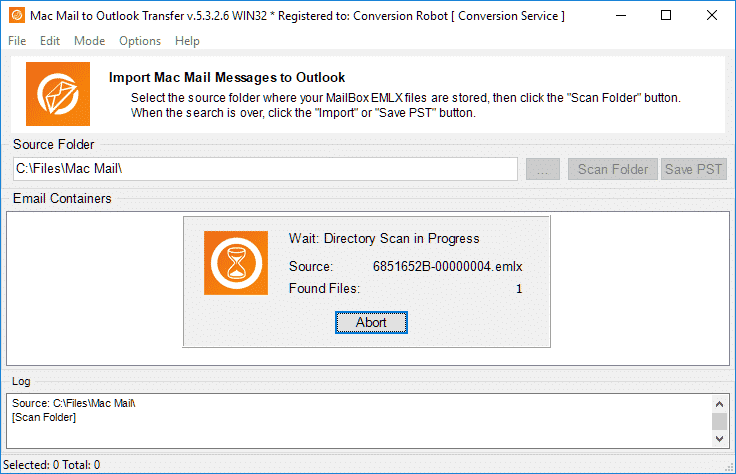 Review of Mac Mail to Outlook Transfer by...